Internal Trigger
The Internal Trigger is a straightforward trigger type exclusively available on the integration/studio page. It is designed to be called solely by the Internal Component within the same project. This trigger is particularly useful for encapsulating common functionalities that can be invoked repeatedly across different services.
Service Creation
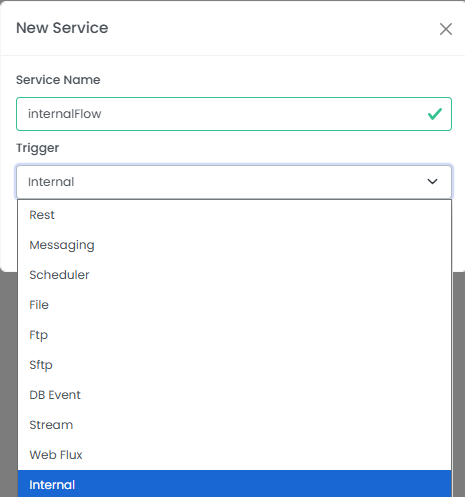
To create a service with an Internal Trigger, follow these steps:
- Add a new service.
- Provide a service name (e.g.,
internalFlow). - Select
Internalfrom the Trigger dropdown menu.
Upon successful creation, you will be redirected to the service development page where you can define the flow for your internal service.
Flow Definition and Shared Pipeline
In the video below, we demonstrate the entire process of service creation and flow definition. While the flow can be customized to any requirement, our example flow includes:
- A Custom Node with a 5-second sleep duration, illustrating a potential delay in execution.
- A Variable Node that adds a new variable to the pipeline. This highlights a crucial aspect of internal flows: the pipeline is shared with the main flow that calls the internal service. Any variables added or modified within the internal flow will be reflected in the main pipeline, demonstrating the seamless extension of the main flow.
- A Logger Node that logs a message from the main pipeline, further emphasizing the shared pipeline concept and the ability to access data from the calling flow.
Configuration
The Internal Trigger itself has minimal configuration, primarily consisting of its name and type.
| Field | Description | Example |
|---|---|---|
| Name | The name of the internal trigger service. | internalFlow |
| Trigger | The type of trigger, which is always INTERNAL for this component. | INTERNAL |
Video Guide: Internal Trigger Service Creation
This video provides a comprehensive guide to creating an internal trigger service, from initial service setup to defining a sample flow that demonstrates shared pipeline functionality.